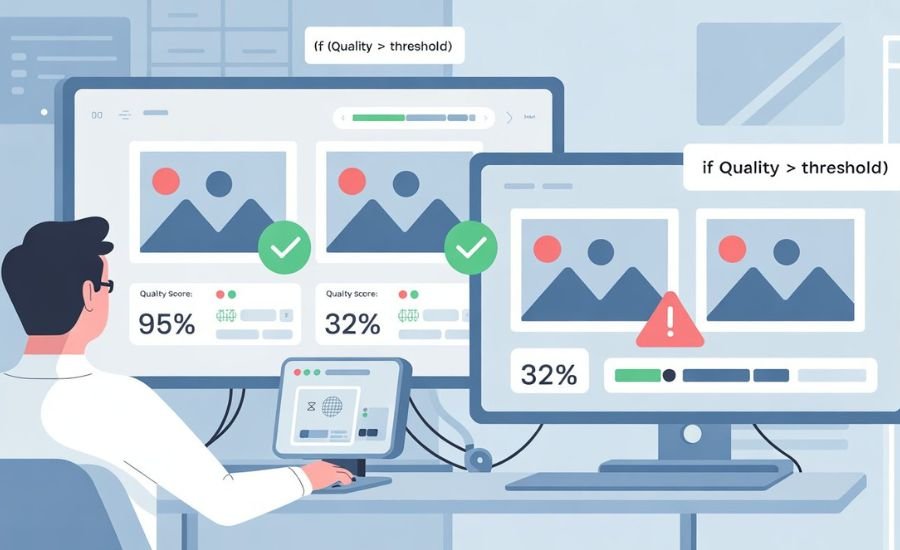
Photo quality plays a big role in user experience today. Whether you run an e-commerce store, a KYC platform, or a photo-sharing app, you need clear, sharp images. A photo quality validation API helps you check that every image meets your quality standards before it is used or uploaded.
These APIs look for issues such as blur, low brightness, bad exposure, or small resolution. They save time for developers and reduce poor-quality uploads that could affect trust or conversions. This article compares some of the top tools available and explains how to pick the right one for your project.
What Is a Photo Quality Validation API
A photo quality validation API is a web service that checks how clear and well-lit a photo is. It uses machine learning or computer vision models to measure features such as sharpness, brightness, contrast, noise, and framing.
When a user uploads a photo, the API returns a quality score or a pass/fail result. Developers can set a rule, for example, “accept only photos with a score above 0.7.” This helps automate the image review process and keeps your platform looking professional.
Common checks include:
- Sharpness and focus: Detects blur or camera shake.
- Exposure: Finds images that are too dark or too bright.
- Noise level: Measures grain or pixel distortion.
- Resolution: Ensures the photo is large enough for display or printing.
Why Image Quality Matters?
Good images build trust. On online stores, clear product photos increase conversions. In verification apps, bright and sharp selfies reduce failed checks. In social platforms, high-quality visuals make content more engaging.
Poor images, on the other hand, can lead to confusion, complaints, or rejections. A photo quality validation API helps you stop that before it happens. It adds an automated quality gate that checks every image instantly.
Top Photo Quality Validation API Tools
Several strong tools are available. Below are some of the most trusted and developer-friendly options in 2025.
1. Sightengine API
Sightengine is known for its detailed image analysis. It provides a quality score plus separate values for sharpness, brightness, and contrast. It also detects under- or overexposed images. The setup is simple with REST endpoints and SDKs for Python, Node, and PHP.
Best for: general image uploads, content moderation, and user-generated content.
2. AWS Rekognition
Amazon’s Rekognition service offers strong computer vision tools. It measures brightness and sharpness for each face detected in a photo. This makes it useful for KYC, onboarding, and selfie checks. It can also analyze entire images for exposure and color balance.
Best for: identity verification and large-scale enterprise projects.
3. APILayer Image Quality API
This API focuses on the BRISQUE score, a common measure of technical quality. It gives a numeric value you can use to decide if a photo passes your internal standards. The lower the score, the better the quality.
Best for: developers who need a fast, lightweight way to compare or log photo quality.
4. Azure AI Vision
Microsoft’s Azure Vision API offers general image analysis and metadata extraction. While it does not produce one “quality” number, it provides brightness, color, and object detection data you can use in your own validation logic.
Best for: teams already working inside the Azure ecosystem.
5. Everypixel Aesthetic API
Everypixel adds a creative layer. It scores both technical and aesthetic quality, using data from professional photography models. It helps filter low-quality or unattractive images on platforms that rely on visuals.
Best for: marketplaces and media platforms that value beauty as much as clarity.
Choosing the Right API
Your choice depends on what you want to achieve:
- For KYC or identity apps: AWS Rekognition is reliable and precise for face photos.
- For e-commerce or social uploads: Sightengine balances detail and speed.
- For simple technical checks: APILayer is lightweight and easy to integrate.
- For corporate setups: Azure Vision fits well if you already use Microsoft tools.
- For creative content: Everypixel helps rate aesthetic appeal.
Also compare pricing, speed, and data privacy rules. Some services charge per image; others offer free tiers for testing. Always review how they handle user data, especially when dealing with personal photos.
Quick Integration Tips
You can connect these APIs using simple HTTP requests. Most return results in JSON format. For example:
- Step 1: Send your image URL or base64 data.
- Step 2: The API returns a quality score or flags like “blurry” or “underexposed.”
- Step 3: Accept or reject the image in your app based on your chosen threshold.
For better performance, set basic local checks first (file size, format, and resolution) before calling the API.
Final Thoughts
A photo quality validation API helps keep your app or website consistent, professional, and trustworthy. It ensures that only sharp, well-lit, and properly sized photos reach your users. By comparing tools like Sightengine, AWS Rekognition, APILayer, Azure Vision, and Everypixel, you can find the best fit for your business goals and technical needs.
FAQs
It checks images for clarity, brightness, and other factors before they are used or uploaded.
Yes. They measure focus, exposure, and noise to flag low-quality images.
Most offer free trials or limited usage plans for testing.
AWS Rekognition and Sightengine both perform well for ID or KYC use cases.